Deploy a Go Service to K3s
Series: K3s on Raspberry Pi
- Build a K3s Cluster on Raspberry Pi
- Deploy a Go Service to K3s ← this article
- GitOps on K3s with ArgoCD
- Multi-Environment K3s with Kustomize
- Secrets in K3s with Vault and External Secrets Operator
Continuation of Build a K3s Cluster on Raspberry Pi. The cluster is up - now deploy a Go service onto it.
1. Go REST Service
The whole Go project is available in github
Returns the pod hostname so each response shows which replica handled the request.
package main

import (
	"context"
	"errors"
	"net/http"
	"os"
	"os/signal"
	"syscall"
	"time"

	"github.com/labstack/echo/v5"
	"github.com/labstack/echo/v5/middleware"
)

func main() {
	e := echo.New()
	e.Use(middleware.RequestLogger())

	e.GET("/", func(c *echo.Context) error {
		hostname, err := os.Hostname()
		if err != nil {
			hostname = "unknown"
		}

		return c.String(http.StatusOK, "Hello, World from: "+hostname)
	})

	ctx, stop := signal.NotifyContext(context.Background(), os.Interrupt, syscall.SIGTERM)
	defer stop()

	s := http.Server{Addr: ":8080", Handler: e}
	// Start server
	go func() {
		e.Logger.Info("liveness server listening", "addr", 8080)
		if err := s.ListenAndServe(); err != nil && !errors.Is(err, http.ErrServerClosed) {
			e.Logger.Error("failed to start server", "error", err)
		}
	}()

	// Wait for interrupt signal to gracefully shut down the server with a timeout of 10 seconds.
	<-ctx.Done()

	ctx, cancel := context.WithTimeout(context.Background(), 10*time.Second)
	defer cancel()
	e.Logger.Info("Shutting down")
	if err := s.Shutdown(ctx); err != nil {
		e.Logger.Error("failed to stop server", "error", err)
	}
}
2. Dockerfile
Multi-stage build - compiles a static ARM64 binary, ships it in a scratch image with no OS layer.
# ── Build stage ────────────────────────────────────────────────
FROM golang:1.26-alpine3.23 AS build
WORKDIR /src

# Cache dependencies first
COPY go.mod go.sum ./
RUN go mod download

COPY . .
# CGO_ENABLED=0 → fully static binary (no libc dependency)
RUN CGO_ENABLED=0 GOOS=linux GOARCH=arm64 go build -ldflags="-s -w" -o /app .

# ── Final stage ────────────────────────────────────────────────
# scratch = zero OS layer
FROM scratch
LABEL maintainer="M Kumaran"

COPY --from=build /app /

# Pull in CA certs so TLS to Azure/Postgres works
COPY --from=build /etc/ssl/certs/ca-certificates.crt /etc/ssl/certs/

EXPOSE 8080

ENTRYPOINT ["/app"]
3. GitHub Actions - Build & Push to GHCR
.github/workflows/release.yml - triggers on every push to main. Tags the image with the run number (for rollback) and latest.
name: Release

on:
  push:
    branches: ['main']

jobs:
  docker:
    name: Build & Push Docker Image
    runs-on: ubuntu-latest
    permissions:
      contents: read
      packages: write
    steps:
      - uses: actions/checkout@v4

      - uses: docker/login-action@v3
        with:
          registry: ghcr.io
          username: ${{ github.actor }}
          password: ${{ secrets.GITHUB_TOKEN }}

      - uses: docker/metadata-action@v5
        id: meta
        with:
          images: ghcr.io/${{ github.repository }}
          tags: |
            type=raw,value=${{ github.run_number }}
            type=raw,value=latest

      - uses: docker/setup-buildx-action@v3

      - uses: docker/build-push-action@v6
        with:
          context: .
          push: true
          platforms: linux/arm64
          tags: ${{ steps.meta.outputs.tags }}
          labels: ${{ steps.meta.outputs.labels }}
          cache-from: type=gha
          cache-to: type=gha,mode=max
Push to main and confirm the package appears in your GitHub repository’s Packages tab.
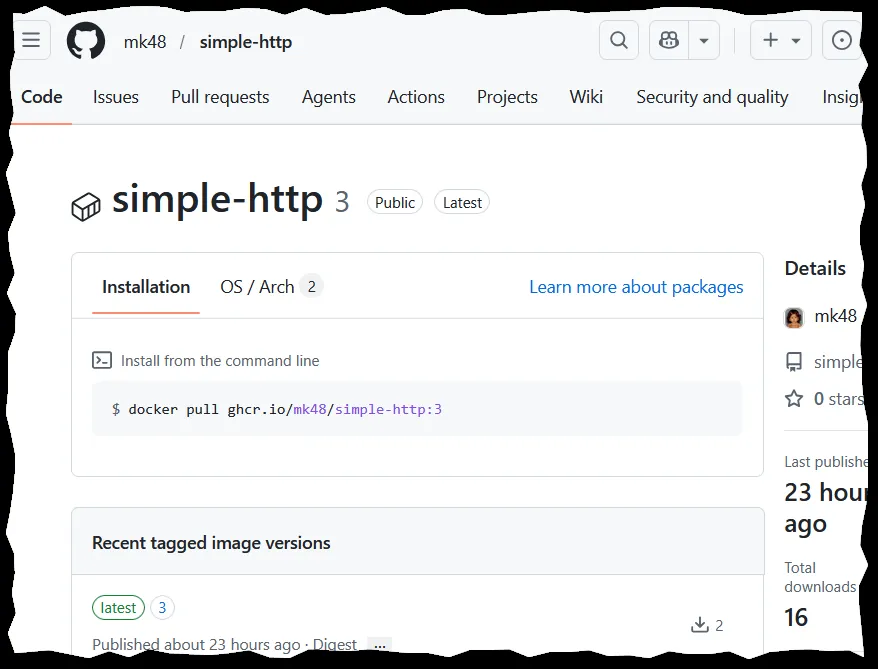
Private package? The cluster nodes pull anonymously by default. Either set the GHCR package to public (GitHub → Package Settings → Change visibility), or create an image pull secret on the cluster and reference it via
imagePullSecretsin the Deployment.
4. Kubernetes Manifests
Three resources: a Deployment (runs 2 replicas), a Service (cluster-internal load balancer), and an Ingress (exposes the service via Traefik, which K3s ships by default).
deployment.yaml
apiVersion: apps/v1
kind: Deployment
metadata:
  name: hello-world
  namespace: pi
spec:
  replicas: 2
  selector:
    matchLabels:
      app: hello-world
  template:
    metadata:
      labels:
        app: hello-world
    spec:
      containers:
        - name: hello-world
          image: ghcr.io/mk48/simple-http:latest
          imagePullPolicy: Always
          resources:
            requests:
              memory: '12Mi'
              cpu: '2m'
          ports:
            - containerPort: 8080
              name: web
              protocol: TCP

          readinessProbe:
            httpGet:
              path: /
              port: web
          livenessProbe:
            httpGet:
              path: /
              port: web
service.yaml
apiVersion: v1
kind: Service
metadata:
  name: hello-world-service
  namespace: pi
spec:
  selector:
    app: hello-world
  ports:
    - name: http
      protocol: TCP
      port: 80
      targetPort: 8080
ingress.yaml - routes all traffic on / to the service. No host restriction means it’s reachable on any cluster node IP.
apiVersion: networking.k8s.io/v1
kind: Ingress
metadata:
  name: hello-world-ingress
  namespace: pi
spec:
  ingressClassName: traefik
  rules:
    #- host: hello.local
    - http:
        paths:
          - path: /
            pathType: Prefix
            backend:
              service:
                name: hello-world-service
                port:
                  number: 80
5. Deploy
Copy the three yaml files to pi01 (the control-plane node), then apply:
sudo kubectl create namespace pi
sudo kubectl config set-context --current --namespace=pi
sudo kubectl apply -f deployment.yaml
sudo kubectl apply -f service.yaml
sudo kubectl apply -f ingress.yaml
With replicas: 2, two pods start - one on each worker node:
mk@pi01:~ $ sudo kubectl get pods
NAME                           READY   STATUS    RESTARTS      AGE
hello-world-66ddbb848d-929fj   1/1     Running   1 (78m ago)   25h
hello-world-66ddbb848d-tk7ws   1/1     Running   1 (78m ago)   25h
6. Test
Hit any node IP - Traefik routes the request to the Service, which load-balances across both pods. The hostname in the response changes with each request.
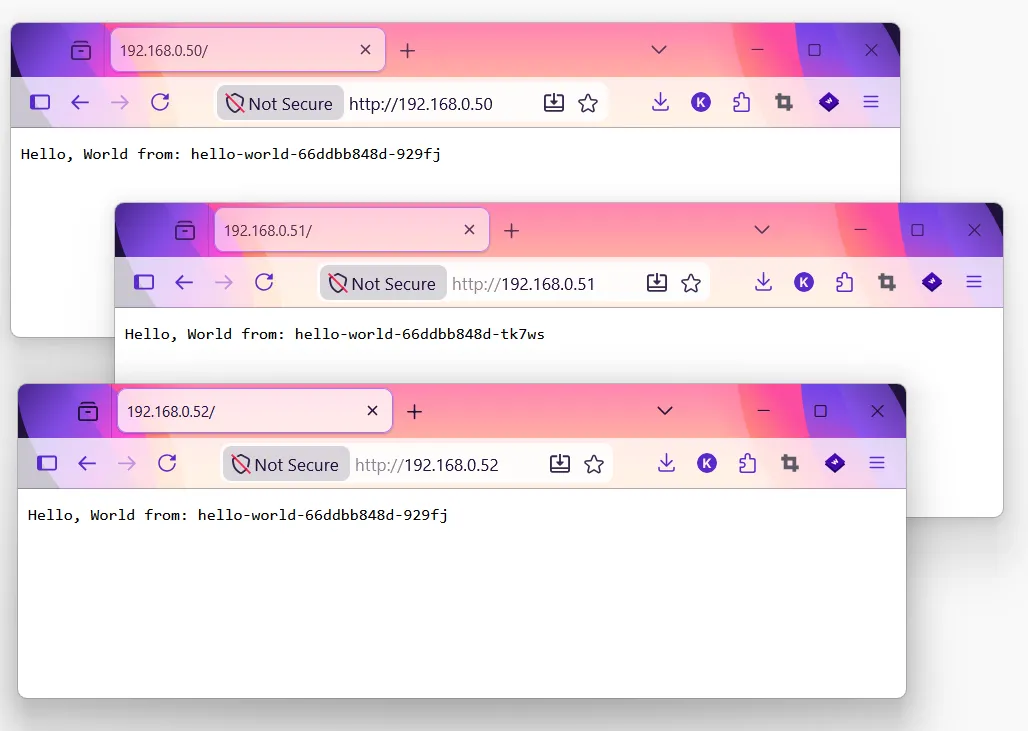
curl http://192.168.0.51   # Hello, World from: hello-world-66ddbb848d-929fj
curl http://192.168.0.51   # Hello, World from: hello-world-66ddbb848d-tk7ws
7. Access the service with URL
Add a host rule to the Ingress so Traefik routes by hostname instead of forwarding all / traffic. Uncomment the host line in ingress.yaml:
apiVersion: networking.k8s.io/v1
kind: Ingress
metadata:
  name: hello-world-ingress
  namespace: pi
spec:
  ingressClassName: traefik
  rules:
    - host: hello.local # <- add this host name
      http:
        paths:
          - path: /
            pathType: Prefix
            backend:
              service:
                name: hello-world-service
                port:
                  number: 80
Apply the change:
sudo kubectl apply -f ingress.yaml
Add to hosts file
Map the cluster IP to the hostname. On Windows, open C:\Windows\System32\drivers\etc\hosts as Administrator and add:
192.168.0.50 hello.local
Going forward, a DNS server like AdGuard or Pi-hole replaces manual hosts entries.
Test it:
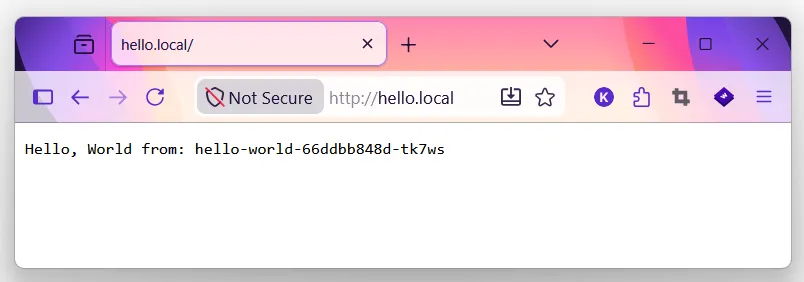
curl http://hello.local # Hello, World from: hello-world-66ddbb848d-929fj